
-
Eclipse
Adjustable Helping Hands Soldering Aid
Our Price:$13.24This tabletop helping hands soldering aid supports users during soldering tasks by holding a project in place. Its adjustable clips help position the workpiece for easier access while you work.The...
-
Eclipse
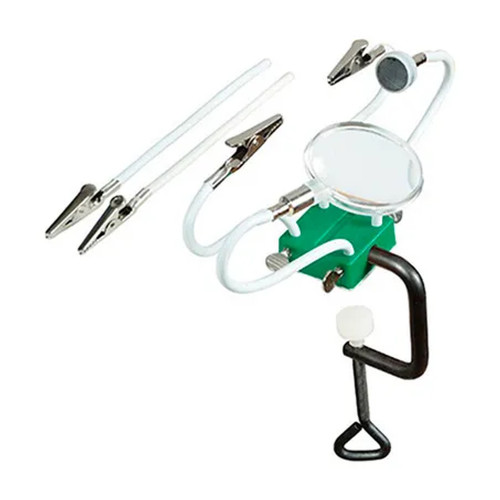
Bench-Edge Helping Hands with Magnifier and Magnet Arms
Our Price:$13.49This bench-edge helping-hands tool supports soldering and other detailed bench work by positioning small items where they are easier to view and handle. It is suited to users who need extra hands for...
-
Eclipse
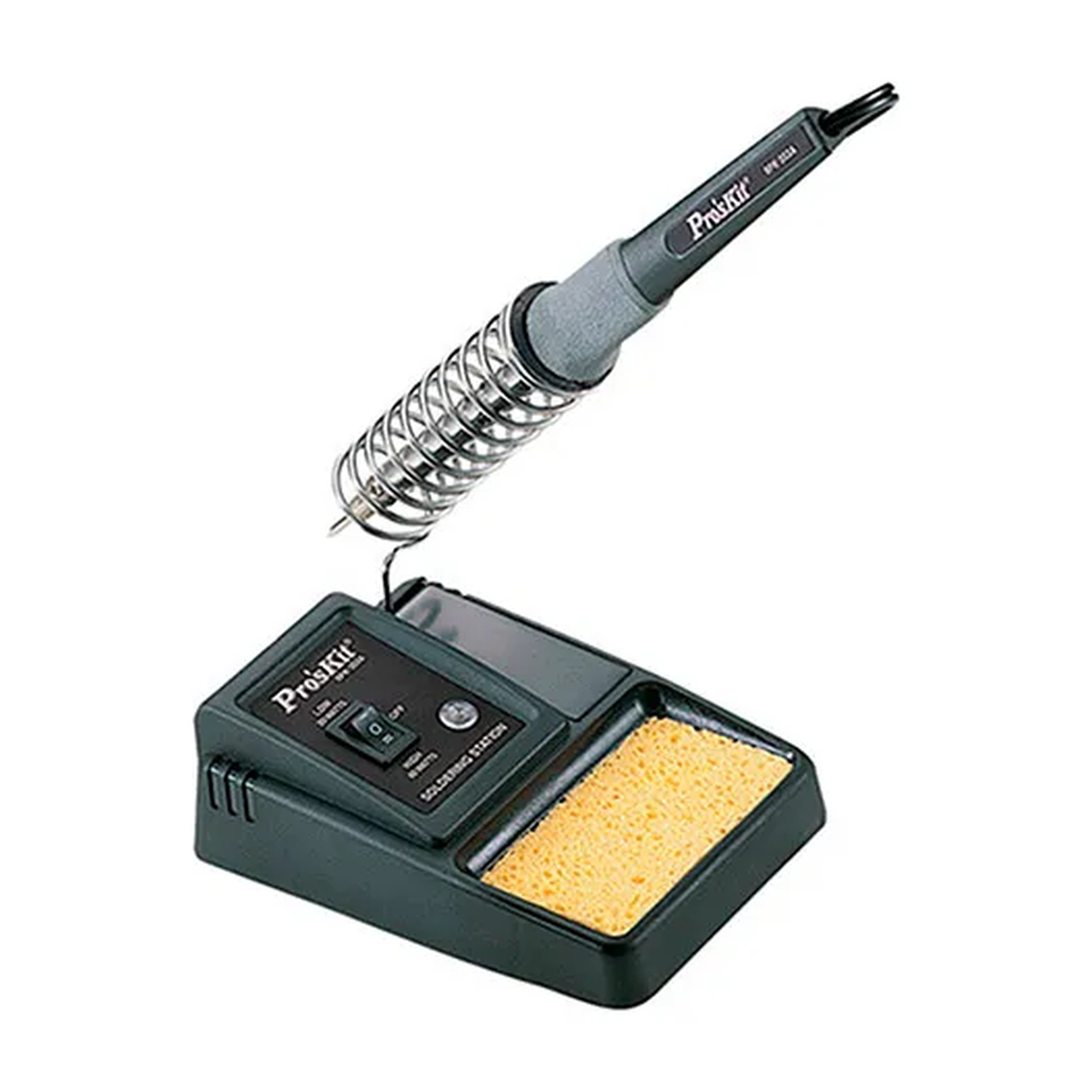
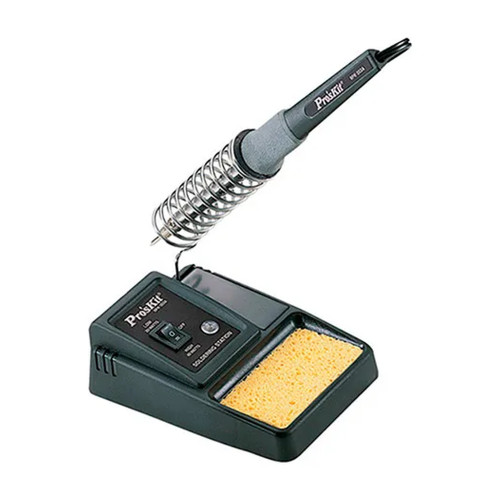
Economy Soldering Station with Pencil Tip
Our Price:$43.94This economy soldering station is designed for professional users and do-it-yourselfers who need to solder electronic circuits or take on heavier soldering work. Its switchable power setting lets...
-
Eclipse
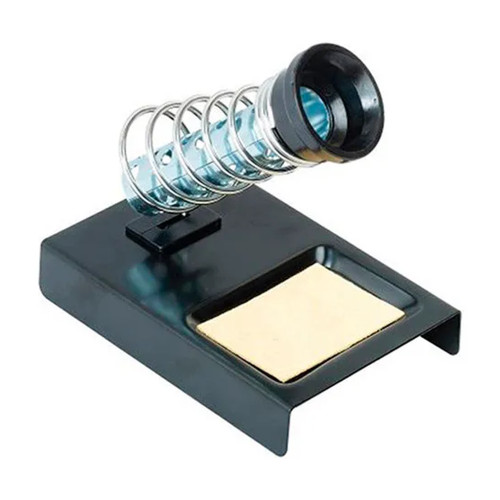
Soldering Iron Stand with Sponge
Our Price:$6.49This soldering iron stand provides a designated place for technicians and electronics workbench users to set down a soldering iron between tasks. Its base-mounted sponge supports routine tip-cleaning...



Choose a Soldering Setup for Your Bench Work
Compare whether your work calls for a soldering station, a dedicated iron resting place, or extra support for holding and viewing small projects. The available options range from an economy station for electronic circuits and heavier soldering to a two-channel kit for nano and micro work, plus adjustable helping-hands tools for project positioning.
Popular examples in this category
 Bench-Edge Helping Hands with Magnifier and Magnet ArmsWBB1929814
 Economy Soldering Station with Pencil TipWBB1929835
 Soldering Iron Stand with SpongeWBB1930066
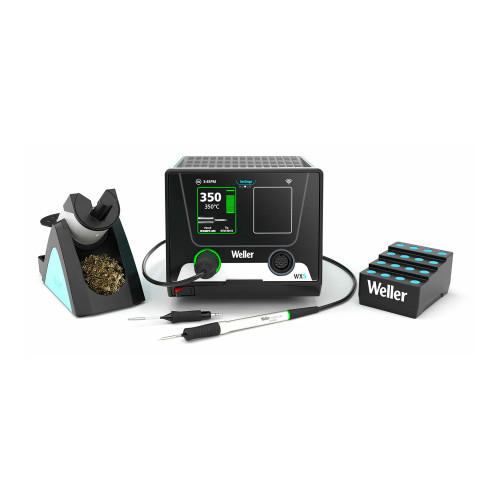 Nano and Micro Soldering Station KitWBB3192542
Match the setup to the task
Use the economy station for electronic circuits or heavier soldering work. Choose the nano and micro kit for fine work involving small components and circuit boards. Helping-hands tools support detailed assembly, repair, and soldering by holding or positioning a project.
Compare control, holding, and space
Select output options based on whether you need the switchable 20W/40W setting. For precision work, consider two channels, pico and micro tip compatibility, stored parameters, and smart tip identification. For bench support, compare clips, arms, magnification, magnetic holding, and mounting style.
Support electronics and close-up work
Available products are suited to electronics workbenches, electronic circuit soldering, detailed bench tasks, repair, and precision applications in electronics, medical, and aerospace work.
Build an organized work area
An iron stand gives the soldering iron a designated resting position and keeps a sponge at the base for tip-cleaning access. A bench-edge aid attaches to work surfaces up to 1.5 inches thick, while a tabletop aid uses a weighted base.
Available on the economy soldering station.
Listed for the two-channel nano and micro station kit.
Provided by the nano and micro station kit.
Maximum work-surface thickness for the bench-edge helping-hands tool.
Compare the Available Soldering Workstation Types
Use the product type and its bench-support features to narrow the choice.
| Product type | Key features | Consider for |
|---|---|---|
| Economy soldering station | Switchable 20W/40W output; pencil tip | Electronic circuits or heavier soldering work |
| Nano and micro soldering station kit | 300 W; two channels; pico and micro tip compatibility; stored parameters | Fine soldering of small components and circuit boards |
| Bench aids and iron stand | Adjustable arms or clips; magnifier or magnet option; iron holder and sponge | Holding projects, viewing close-up work, or resting an iron between tasks |
Plan the right fit before choosing
Select a station for the level of soldering work
The economy soldering station has a pencil tip and switchable 20W/40W output, allowing the user to select a setting for electronic circuits or heavier soldering tasks. The nano and micro soldering station kit is a 300 W, two-channel station for controlled precision soldering work.
- Choose switchable 20W/40W output for electronic circuits or heavier work.
- Choose the two-channel kit for nano and micro soldering tasks.
- Consider pico and micro tip compatibility when one handle must support fine and standard precision tasks.
Hold and position small workpieces
Helping-hands options can make close-up work easier to access. The bench-edge model provides four stay-put arms, a magnifier arm, and a magnet arm. The tabletop soldering aid uses alligator-style clips with multiple adjustment points and a weighted base.
- Use the bench-edge tool for multiple adjustable holding points.
- Use magnification for clearer viewing of small work.
- Choose adjustable clips to position a project during soldering.
Give the iron a designated place
The soldering iron stand holds an iron in a designated resting position between tasks. Its base-mounted sponge keeps tip-cleaning access integrated with the stand, and its listed footprint is 3.5 inches wide, 5 inches deep, and 2 inches high.
- Keep the soldering iron in a designated resting position.
- Use the integrated sponge location for routine tip-cleaning work.
- Check the 3.5-inch by 5-inch by 2-inch footprint for limited bench space.
Common questions before buying
What output options are available on the economy soldering station?
It has switchable 20W/40W output for selecting a setting suited to electronic circuits or heavier soldering tasks.
What work is the nano and micro soldering station kit designed for?
It is designed for fine nano and micro soldering work involving small components and circuit boards in electronics, medical, and aerospace applications.
How can helping-hands tools support soldering work?
They hold or position a project for easier access. Available features include adjustable arms, alligator-style clips, magnification, and a magnetic holding option.
What does the soldering iron stand include?
It includes an iron holder and a base-mounted sponge for convenient tip-cleaning access.
Choosing the right file folders
FilingSupplies.com carries end-tab folders for open-shelf systems, top-tab folders for drawer filing, and heavy-duty classification folders with dividers and fasteners for multi-section records. Pick letter or legal size, then choose material (11-pt, 14-pt, or 18-pt manila), optional reinforced tabs, color-coding, and expansion capacity to match your volume.
Folder FAQs
End-tab vs. top-tab — what’s the difference?
When should I choose classification folders?
Letter or legal size — how do I pick?
What tab and material options are available?
Can I add fasteners, pockets, or expansion?
Do you offer volume pricing or custom printing?
Outfitting classrooms that work all day
Build a durable, age-appropriate classroom with furniture, early-learning materials, storage bins, learning centers, and presentation tools. Choose adjustable pieces that grow with grades, label friendly bins for quick clean-up, and tech carts that secure, charge, and move easily.
Education FAQs
What safety labels should I look for on school and early-childhood items?
How do I pick classroom furniture across grade levels?
What’s the best way to organize supplies and centers?
How do I choose learning games and manipulatives by age?
What should I consider in a charging/tech cart?
Do you support school POs, bulk pricing, or custom printing?
Choosing the right labels
From color file labels to printable sheets, select the right size, adhesive, and print method to match your filing system and equipment. Decide on sheet vs. roll format, then pick permanent or removable adhesive and your color set.
Labels FAQs
Sheet vs. roll labels — what’s the difference?
Permanent or removable adhesive?
Will these labels work in my printer?
How do I match the label size to folder tabs or binder spines?
Can I get preprinted sequences or color bars?
Do you have templates?
Choosing the right tab dividers
Organize binders with preprinted or blank tabs. Select the number of tabs per set (5, 8, 10, or 12), choose paper with reinforced tabs or durable poly, and match letter or legal size for a clean fit.
Tab Dividers FAQs
What do 5-, 8-, 10-, or 12-tab sets mean?
Paper vs. poly — which should I choose?
Are the tabs printable?
Will they fit my binder?
Can I mix preprinted and blank tabs?
Do you make custom tab sets?
Choosing the right office supplies
From everyday paper and pens to binders, mailers, and desk organizers, pick durable, compatible options that match your equipment and team size. Start with the right paper and labeling, then add organizers that keep work moving.
Office Supplies FAQs
Which paper weight and brightness should I choose?
Round-ring vs. D-ring binders — what’s the difference?
What does “sheet capacity” mean on staplers and hole punches?
Will labels, envelopes, and mailers work with my printer?
How do I choose mailers and shipping boxes?
Do you offer eco-conscious options or bulk pricing?
Choosing the right sports & PE equipment
Equip classes, teams, and rec programs with durable balls, goals, cones, pinnies, storage, and safety gear. Match sizes and materials to age group and whether you play indoors or outdoors.
Sports & Athletics FAQs
What ball sizes should I choose for different ages?
- Basketball: Size 5 (27.5") youth, Size 6 (28.5") intermediate, Size 7 (29.5") official.
- Soccer: Size 3 up to ~8 years, Size 4 ~8–12, Size 5 ~12+.
- Volleyball: Regulation balls for teens/adults; lighter training balls for younger players.
Indoor vs. outdoor — which materials hold up best?
How many pinnies, cones, or markers do I need?
Tips for storage and care?
Are items latex‑free and school‑safe?
Do you support bulk orders or custom printing (team names)?
Choosing the right FireKing fireproof cabinet
FireKing fireproof file cabinets, safes, and storage cabinets are designed to protect important documents, records, and valuables from fire damage while keeping files organized and accessible. When choosing a FireKing cabinet, compare drawer configuration, storage type, fire rating, and overall capacity based on the records or materials you need to protect.
FireKing FAQs
What is the difference between FireKing vertical and lateral file cabinets?
What can I store in a FireKing fireproof file cabinet?
Are FireKing cabinets only for paper records?
How do I choose between a FireKing safe, file cabinet, or storage cabinet?
What sizes are available in FireKing cabinets?
Are FireKing cabinets used in offices, medical facilities, and government records storage?
Can I buy FireKing cabinets in bulk or get help choosing the right model?
Shipping & Policies
Do you offer free shipping?
What are your shipping rates?
- $6.95 for labels-only orders under $40
- $14.95 flat rate for everything else