
-
Stanley
Standard-Cut Rasp File
Our Price:$19.99This standard-cut rasp file is a hand tool for workers shaping and smoothing wood, plastic, soft metals, and similar materials. Its rasping surface helps users remove material during fitting,...

Choose the right file for the surface and task
File selection starts with the workpiece shape, the amount of material to remove, and whether you need a complete hand file or a replacement blade for a compatible tool. Compare profiles, cuts, lengths, edge designs, and handle arrangements to match the file to the task.
Popular examples in this category
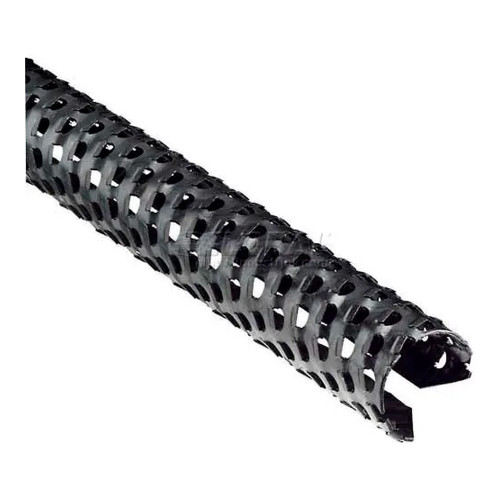 10-Inch Standard-Cut Round Replacement BladeWBB319623
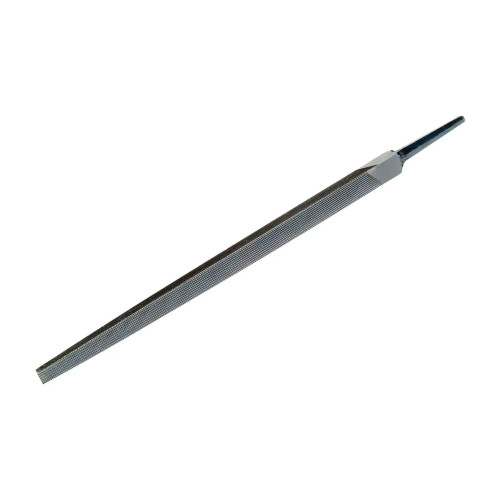 8-Inch Smooth-Cut Square FileWBB3191567
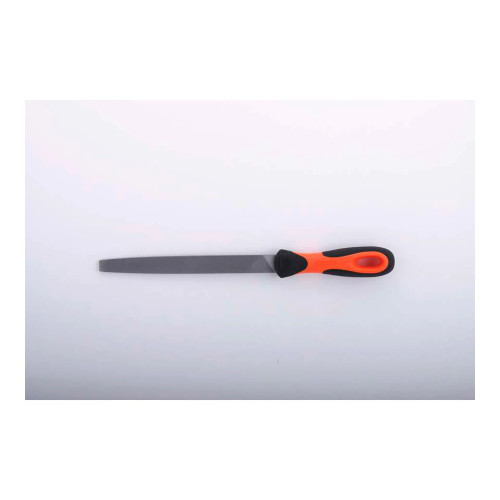 12-Inch Smooth-Cut Flat File with Tapered EdgeWBB3191606
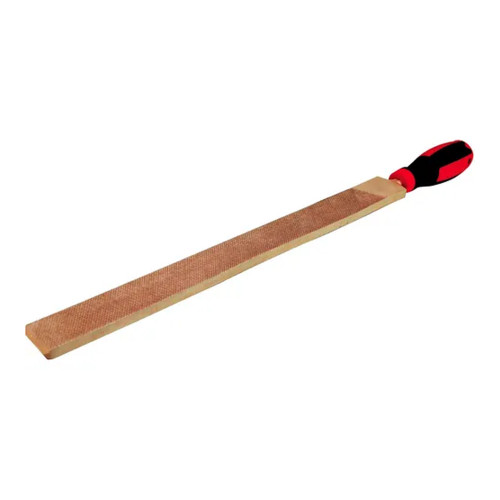 Copper Beryllium Hand File, 3/4 in. x 8 in.WBB2079576
Match the file to the job
Use flat files for broad surfaces and edges, square files for angles and inner corners, and round or half-round profiles for holes, concave areas, curves, and contoured surfaces. Saw files are made for sharpening saw teeth, while rasp files support shaping and smoothing wood, plastic, soft metals, and similar materials.
Compare profile, cut, and format
Choose the profile based on the surface shape, then compare the cut for the desired material removal. Standard, smooth, second, bastard, and coarse cuts are represented. Also confirm whether you need an unhanded file, a file with a handle, or a replacement blade for a compatible tool.
Support maintenance and finishing work
These files are suited to shaping edges, removing burrs, refining flat surfaces, working corners and shoulders, smoothing curved areas, sharpening implements, and maintaining saw teeth. Some replacement blades are intended for continued use of compatible shaping tools.
Check access and control features
Tapered tips can help reach tighter areas, while flush edge teeth can help work into edges. Uncut edges allow controlled filing near adjacent surfaces. For replacement blades, verify the blade length, profile, cut, and listed tool compatibility where provided.
A compact option for saw sharpening with a triangular taper profile.
A smooth-cut option for detailed filing, deburring, angles, and inner corners.
Represented across flat, round, half-round, and mill file options.
A smooth-cut flat file with a tapered pointed tip for angles and tighter areas.
Compare file types by working profile
Use the file profile and construction details to narrow options for your material and surface geometry.
| File type | Best suited tasks | Key selection details |
|---|---|---|
| Flat file or flat blade | Flat surfaces, edges, corners, shoulders, and shaped edges | Available with smooth or standard cut; one flat blade includes flush edge teeth, and one flat file has a tapered pointed tip. |
| Square, round, or half-round file | Angles and inner corners; holes and curved surfaces; flat, concave, and contoured areas | Square files support inner-corner work; round blades work within holes; half-round profiles address curved and concave surfaces. |
| Specialty file or rasp | Saw sharpening, material fitting, and shaping wood, plastic, soft metals, and similar materials | Triangular taper saw files are for saw teeth; rasp files have a rasping surface for material removal during fitting and finishing. |
Plan the right fit before choosing
Let the workpiece shape guide your choice
The file profile determines where and how the tool can contact the workpiece. Flat formats provide a broad surface for flat-area and edge work, while shaped profiles help address openings, contours, and corners.
- Flat files and blades suit flat surfaces, edges, corners, shoulders, and shaped edges.
- Square files help with angles, inner corners, holes, large fillets, and concave surfaces.
- Round blades help enlarge holes and refine curved surfaces.
- Half-round files and blades work on curved, contoured, flat, concave, and large-hole areas.
- Triangular taper saw files are designed to access and shape individual saw teeth.
Balance controlled finishing with material removal
The represented file cuts support different types of filing work. Select the cut based on whether the task calls for controlled refinement, general shaping, sharpening, or more aggressive removal.
- Smooth-cut files support controlled filing, deburring, finishing, and edge refinement.
- Standard-cut files and blades support everyday shaping, smoothing, and consistent material removal.
- Bastard-cut files support sharpening, general surface refinement, shaping, and deburring.
- Coarse-cut replacement blades support more aggressive material removal than a fine-cut blade.
- Second-cut teeth support controlled saw-sharpening work.
Decide between a hand file and a replacement blade
Some options are complete hand tools, while others are replacement blades intended to restore compatible tools. Handle configuration also varies across the selection.
- Unhanded files allow users to select a compatible or preferred handle separately.
- A two-component handle provides a comfortable grip for hand-guided work.
- A high-impact ABS handle and ribbed front section support grip and two-hand control on the rasp file.
- Replacement blades are available in flat, round, and half-round profiles.
- One half-round replacement blade is listed as compatible with tool models 21-295 and 21-296.
Common questions before buying
What file profile should I use for curved surfaces?
Round and half-round profiles are represented for curved work. Round blades help work within holes and along curved surfaces, while half-round options support curved, contoured, concave, and large-hole areas.
Which files can be used for deburring?
Smooth-cut square and flat files support controlled deburring and edge refinement. Bastard-cut mill and half-round files also support deburring during shaping and surface-refinement work.
Are handles included with every file?
No. Several files are unhanded, allowing a handle to be selected separately. Other options include a two-component handle or an ABS handle.
How do I select a replacement blade?
Match the blade profile, cut, and length to the existing tool and application. Where compatibility is listed, verify the tool model before choosing a replacement blade.